
Here is a situation most React developers know well: the app looks polished, the component architecture is clean, the code review passed, yet users are still complaining about slow load times, choppy transitions, or animations that stutter on first paint. You run Lighthouse, watch the scores, and start questioning every decision that led you here.
Nine times out of ten, the root cause comes down to two things working (or not working) together: your rendering strategy and how well you are leveraging GPU acceleration in the browser. Developers treat these as separate conversations. They are not. The method you choose to deliver HTML to the browser directly determines how quickly the GPU compositor can begin doing its job – and that chain of events shapes everything from your Core Web Vitals to how satisfying your app feels to use.
This guide is for React developers who want to go beyond surface-level Lighthouse tuning. You will walk away with a precise understanding of what GPU acceleration means at the browser level, how each React rendering method interacts with the compositing pipeline, a real performance comparison of SSR vs CSR vs SSG, practical Next.js rendering options mapped to actual use cases, and GPU acceleration techniques that work regardless of which rendering strategy you pick.
By the end, the choice between SSR, CSR, SSG, and ISR will not feel like a guess; it will feel like an engineering decision you can defend with data.
What GPU Acceleration Actually Means at the Browser Level
The term gets thrown around constantly in performance discussions, but it is worth being precise about what is actually happening inside the browser when we say something is “GPU-accelerated.”
Your browser works with two main processors. The CPU handles JavaScript execution, DOM manipulation, layout calculations, and style recalculation — all largely sequential tasks. The GPU, by contrast, was designed for massive parallelism: transforming thousands of pixels simultaneously, compositing visual layers, applying filter effects, and rendering geometry at high frame rates.
When a browser promotes an element to its own compositor layer, the browser’s compositor thread – which runs entirely separately from the main JavaScript thread — hands that layer directly to the GPU for rendering. The critical benefit: changes to GPU-composited properties bypass JavaScript, layout, and paint recalculation entirely. The GPU updates them in isolation, which is why certain animations can maintain a steady 60fps even when your JavaScript thread is under heavy load.
The CSS properties that trigger GPU compositing are:
- transform (including translateZ(0), translate3d(), and scale())
- opacity
- filter
- will-change: transform or will-change: opacity (explicit layer promotion)
Properties like width, height, top left, and background-color force the browser back through layout or paint before the GPU ever gets involved. Animating these is significantly more expensive and the source of most animation jank in production React applications.
Here is where the rendering strategy enters the picture. The method you use to deliver HTML to the browser determines when the browser can begin building render trees, painting, and handing compositor layers to the GPU. A server-rendered page delivers fully formed HTML immediately – the browser enters the entire rendering pipeline before a single byte of JavaScript has executed. A client-rendered page hands the browser an empty shell and makes the GPU wait while JavaScript builds the DOM from scratch. That difference in the starting line propagates through every performance metric that follows.
For a thorough look at how browsers implement GPU compositing natively – including how compositor threads are scheduled and how layer memory is managed, the deep-dive on GPU acceleration in browsers covers the underlying pipeline in practical detail.
The Four React Rendering Methods: CSR, SSR, SSG, and ISR Explained
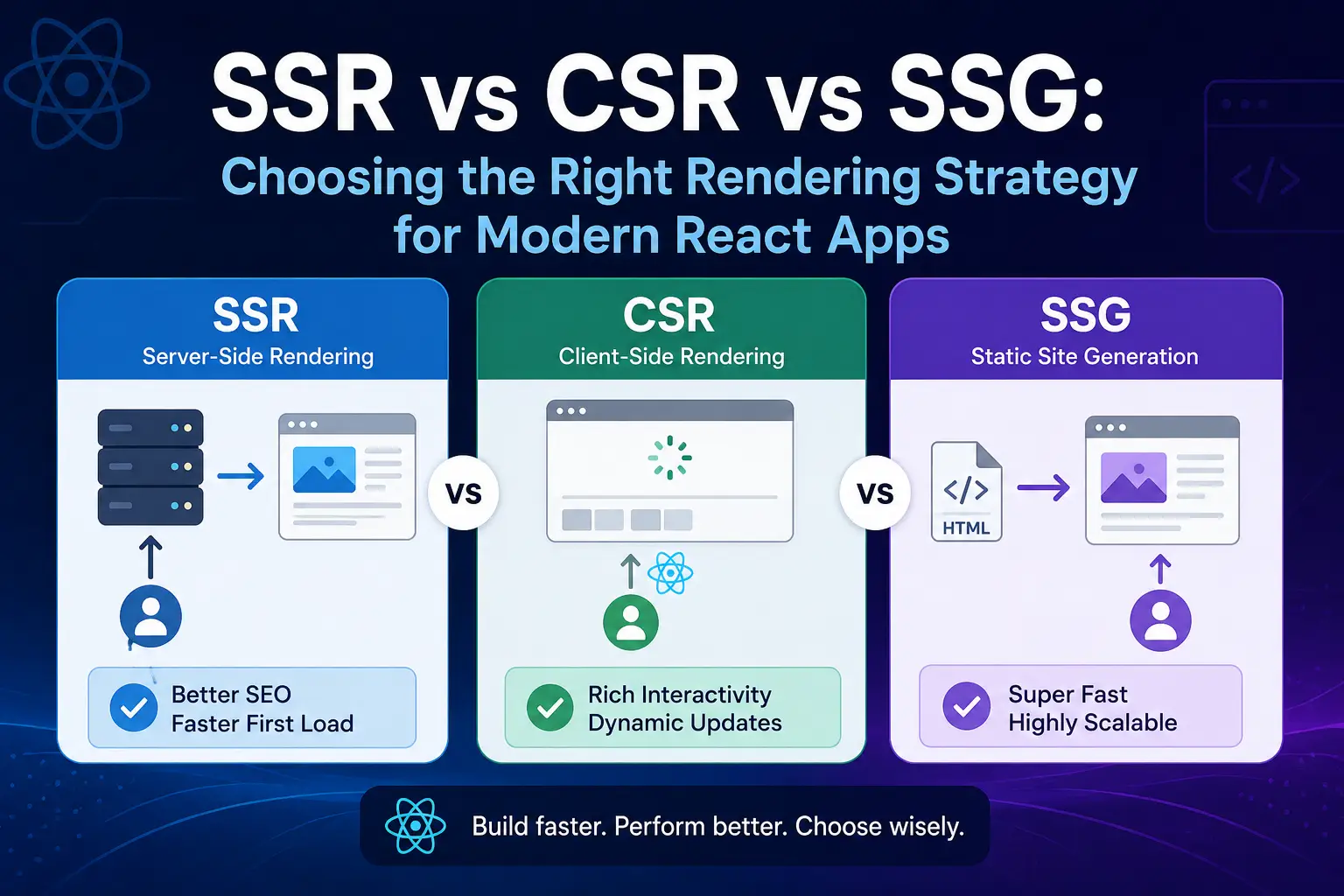
React itself is just a UI library; it does not dictate where rendering happens or when. The ecosystem around React, particularly Next.js, gives you four distinct rendering methods, each with different performance characteristics, infrastructure requirements, and appropriate use cases. Understanding what each one actually does is the foundation of every rendering decision you will make.
Client-Side Rendering (CSR): The Default That Costs You Performance
CSR is what you get with a vanilla React and Vite or Create React App setup. The server sends a minimal HTML file containing essentially one element: <div id=”root”></div> – along with JavaScript bundles. The browser downloads them, the JavaScript engine parses and executes them, React runs its initial render, and the page appears.
The problem is that nothing meaningful renders until the entire JavaScript execution chain completes. On a fast desktop with a stable connection, that might be under a second. On a mid-range Android phone over mobile broadband, it can be three to five seconds of a blank or spinner-only screen. From a GPU perspective, the compositor has nothing to work with until React has flushed its first render to the real DOM.
import React from 'react'
import ReactDOM from 'react-dom/client'
import App from './App'

ReactDOM.createRoot(document.getElementById('root')).render(
  <React.StrictMode>
    <App />
  </React.StrictMode>
)
Best for: Authenticated dashboards, internal tools, admin panels, and apps behind a login screen where SEO is irrelevant, and users are on reliable connections with modern devices.
Server-Side Rendering (SSR): Dynamic HTML Generated Per Request
With SSR, a Node.js server generates complete HTML for every incoming request. The browser receives a fully rendered HTML document and begins parsing and painting it immediately. The GPU compositor can start processing visual layers before any JavaScript has been downloaded.
React then “hydrates” the server-rendered HTML by attaching event listeners and making the UI interactive. Between when content is visible and when it is fully interactive lies what is called the hydration window, a brief period where users can see the page, but interactions may not respond. This gap narrows significantly with React 18’s concurrent hydration, but it is still something to design around.
// Next.js App Router SSR — fresh data fetched per request
// app/products/page.tsx

export default async function ProductsPage() {
  // This runs on the server for every incoming request
  const products = await fetch('https://api.example.com/products', {
    cache: 'no-store' // Opts out of caching — always fresh
  }).then(res => res.json())

  return (
    <main>
      <h1>Products</h1>
      {products.map(product => (
        <article key={product.id}>
          <h2>{product.name}</h2>
          <p>{product.description}</p>
        </article>
      ))}
    </main>
  )
}
Best for: E-commerce product pages, news and editorial sites, personalised content feeds, and any route requiring fresh data with good SEO performance.
Static Site Generation (SSG): Pre-Built HTML for Maximum Speed
SSG generates HTML once, at build time, and stores the resulting files on a CDN. When a user requests the page, the CDN serves a pre-built HTML file from the edge node nearest to them, often within 20-50 milliseconds. There is no server computation at request time whatsoever.
From a GPU acceleration standpoint, SSG is the clear winner at the delivery layer. The browser receives complete, fully formed HTML almost instantly. It builds the DOM, constructs the render tree, begins painting, and hands compositor layers to the GPU faster than any other rendering method allows. Time to First Byte (TTFB) is minimal, First Contentful Paint (FCP) is near-instant, and Largest Contentful Paint (LCP) scores are typically excellent with no additional effort.
// Next.js App Router SSG — HTML generated once at build time
// app/blog/[slug]/page.tsx

export async function generateStaticParams() {
  const posts = await fetch('https://api.example.com/posts').then(res => res.json())
  return posts.map(post => ({ slug: post.slug }))
}

export default async function BlogPost({ params }) {
  const post = await fetch(
    `https://api.example.com/posts/${params.slug}`
  ).then(res => res.json())

  return (
    <article>
      <h1>{post.title}</h1>
      <p>{post.content}</p>
    </article>
  )
}
Best for: Blogs, documentation sites, marketing pages, landing pages, and any content that does not change frequently or does not require request-time context.
Incremental Static Regeneration (ISR): Static Speed with Acceptable Freshness
ISR is Next.js’s hybrid approach that elegantly solves the main limitation of SSG, content staleness. With ISR, pages are pre-rendered at build time like SSG, but you specify a revalidation interval. After that interval, the next request triggers a background regeneration without blocking the user. The updated static file is served from the next request onward.
// Next.js App Router ISR — static file, regenerated every 60 seconds
// app/news/[id]/page.tsx

export default async function NewsArticle({ params }) {
  const article = await fetch(
    `https://api.example.com/news/${params.id}`,
    {
      next: { revalidate: 60 } // Regenerate in background every 60 seconds
    }
  ).then(res => res.json())

  return (
    <article>
      <h1>{article.headline}</h1>
      <time dateTime={article.publishedAt}>{article.publishedAt}</time>
      <p>{article.body}</p>
    </article>
  )
}
Best for: News articles, product listings, event pages, and content that changes periodically, every few minutes or hours, rather than in real-time or per-user.
SSR vs CSR in React: A Real Performance Comparison
Picking a rendering method is not just a philosophical preference; it has measurable consequences across every metric that Google and your users actually care about. Here is how the three primary approaches stack up.
| Metric | CSR | SSR | SSG / ISR |
|---|---|---|---|
| Time to First Byte (TTFB) | Fast (empty shell, no server work) | Moderate (server processes request) | Fastest (CDN edge delivery) |
| First Contentful Paint (FCP) | Slow (blocked on JS parse and execute) | Fast (real HTML from server) | Fastest |
| Largest Contentful Paint (LCP) | Slow | Good | Excellent |
| Time to Interactive (TTI) | Slow | Moderate (hydration gap exists) | Moderate (hydration gap exists) |
| SEO Out of the Box | Poor | Excellent | Excellent |
| Infrastructure Cost | Low (static file hosting only) | Higher (persistent Node.js server) | Lowest (CDN, no server required) |
| GPU Compositing Begins | After JS parse and React render | After HTML parse (fast) | Near-instant from the edge |
The bottom row is the one most teams never think to look at. When the browser receives pre-rendered HTML from SSR or SSG, it immediately builds the DOM tree, constructs the render tree, begins layout calculation, and starts painting. The GPU compositor can begin processing visual layers almost right away. With CSR, the browser receives an empty shell, and the compositor has nothing useful to work with until React has finished building the virtual DOM and flushed changes to the real DOM. Every millisecond of JavaScript execution is a millisecond the GPU cannot start.
For pages with complex visual design, entrance animations, sticky navigation, or any element that needs GPU-composited transitions, that delay manifests as noticeable jank during the initial load, even when your animations are written correctly using transform and opacity. The rendering method sets the starting line; GPU acceleration techniques determine how fast you run from there.
These comparisons only hold weight when you measure them against your actual pages and your actual users. Tools like Lighthouse, Chrome DevTools Performance panel, and React DevTools Profiler show exactly where delays occur in your specific pipeline. If you have not set up a systematic measurement process yet, the frontend performance profiling guide walks through the full workflow, from setting up performance budgets to interpreting flame charts and identifying rendering bottlenecks.
Next.js Rendering Options in the App Router Era
Next.js is the most widely used React framework for production applications, and the App Router, stable since Next.js 14, fundamentally changed how rendering decisions are expressed in code. If you are still thinking in Pages Router terms, the mental model needs updating.
Server Components vs Client Components: The Core Split
In the App Router, every component is a Server Component by default. Server Components render on the server; their output is serialised as an RSC payload, and they never ship JavaScript to the browser. They can directly access databases, file systems, environment secrets, and server-side APIs without any API layer in between. Their footprint on your client-side JavaScript bundle is exactly zero bytes.
Client Components are opted into explicitly with the ‘use client’ directive at the top of the file. These run in the browser, can use React hooks, handle browser events, and manage local state.
// Server Component (default — no directive needed)
// app/dashboard/page.tsx

import { getUserData } from '@/lib/db'
import InteractiveChart from './InteractiveChart'

export default async function DashboardPage() {
  // Direct database call — runs only on the server, zero client JS
  const userData = await getUserData()

  return (
    <section>
      <h1>Dashboard</h1>
      <p>Welcome, {userData.name}</p>
      {/* Client Component receives data as props */}
      <InteractiveChart data={userData.metrics} />
    </section>
  )
}
// Client Component — handles interactivity in the browser
// app/dashboard/InteractiveChart.tsx
'use client'

import { useState } from 'react'

export default function InteractiveChart({ data }) {
  const [activeView, setActiveView] = useState('weekly')

  return (
    <div>
      <nav>
        <button onClick={() => setActiveView('weekly')}>Weekly</button>
        <button onClick={() => setActiveView('monthly')}>Monthly</button>
      </nav>
      <div className="chart-container">{/* chart output here */}</div>
    </div>
  )
}
The practical consequence of this split is dramatic for bundle sizes. When the majority of your component tree lives in Server Components, your client-side JavaScript bundle shrinks to only what is genuinely interactive. Less JavaScript downloaded means the browser reaches the paint phase faster, and the GPU compositor can begin working sooner.
Streaming SSR and Suspense: Progressive HTML Delivery
The App Router also supports streaming SSR through React’s Suspense API. Rather than waiting for all server data to resolve before sending any HTML, the server streams HTML progressively — the page shell is sent first, and slower data-dependent sections are streamed in as they resolve. The browser receives usable HTML almost immediately and can begin rendering, including displaying GPU-composited skeleton loading animations, while the remaining sections fill in asynchronously.
// Streaming SSR with Suspense in Next.js App Router
// app/page.tsx

import { Suspense } from 'react'
import HeroSection from './HeroSection'
import ProductList from './ProductList'
import ProductSkeleton from './ProductSkeleton'

export default function HomePage() {
  return (
    <main>
      {/* Sent immediately in the HTML stream */}
      <HeroSection />

      {/* Streamed in when product data resolves */}
      <Suspense fallback={<ProductSkeleton />}>
        <ProductList />
      </Suspense>
    </main>
  )
}
The skeleton component in the fallback prop renders as static HTML immediately. If you animate it with a GPU-composited shimmer effect using transform gradient transitions, users see smooth visual feedback from the very first frame — a significant improvement in perceived performance even when server data fetching is slow.
These kinds of architectural decisions, how rendering responsibilities are divided, how data fetching is structured, how components are composed, have downstream effects that extend well beyond a single page or feature. For a broader context on how rendering architecture fits into the larger picture of frontend system design, the article on the impact of frontend architecture on modern web applications is a useful companion read.
SSG vs SSR Performance Comparison: When Static Wins and When It Does Not
The SSG vs SSR decision does not have a universally correct answer — it has a correct answer for your specific application. Here is a practical breakdown of where each approach genuinely excels.
When SSG Is the Right Choice
- Content is stable or changes infrequently — marketing pages, documentation, blog posts, company information
- Traffic volume is high and consistent — CDN caching makes SSG dramatically cheaper at scale than running a persistent server
- Maximum Core Web Vitals performance is required — achieving LCP under 1.5 seconds and TTFB under 50ms is realistically achievable with SSG; much harder with SSR without significant infrastructure investment
- SEO is a primary concern — pre-built HTML is indexed immediately and reliably by all crawlers
- Your route set is finite and enumerable at build time — if you know all your URLs in advance, pre-render them
When SSR Makes More Sense
- Content is user-specific or changes in real-time — personalised recommendations, live pricing, session-dependent content
- You cannot enumerate all routes at build time — millions of user profile pages, dynamically generated content combinations
- You need request-time context — cookies, authentication headers, and geolocation data that must be resolved server-side
- Data freshness requirements are strict — inventory counts, real-time sports scores, live financial data
ISR: The Practical Middle Ground
For a large proportion of real-world applications, ISR eliminates the need to choose strictly between SSG and SSR. If your data changes but not in real-time, ISR gives you static-file delivery speeds with acceptable freshness guarantees. A typical e-commerce site might SSG its top few thousand product pages, use ISR with a 5-minute revalidation window for the rest of its catalogue, and reserve SSR only for pages displaying live inventory or personalised pricing.
From a GPU compositing perspective, SSG, ISR, and SSR all produce similar results once the HTML lands in the browser — the GPU pipeline runs identically from that point. The meaningful difference between them is delivery speed: TTFB and FCP are the metrics that distinguish these strategies.
If you are deploying a Next.js application that mixes multiple rendering strategies across different routes, having a solid CI/CD pipeline becomes particularly important. Build-time SSG generation, server deployments, and edge caching configurations all need to work in concert. The guide on GitLab frontend deployment automation covers how to set up automated build and deployment pipelines for exactly these kinds of hybrid Next.js setups.
GPU Acceleration Techniques Every React Developer Should Know
Regardless of whether you land on SSR, SSG, or CSR, these GPU acceleration practices apply universally. They determine whether your app feels fast once it is in the browser — and that perceived quality often matters as much as raw performance metrics.
1. Always Animate with transform and opacity — Without Exception
This is the highest-leverage GPU optimisation available in CSS. Animating transform or opacity happens entirely on the GPU compositor thread; it does not trigger layout recalculation or paint. Animating almost anything else forces the browser back through layout and paint before the GPU gets involved.
/* CPU-bound animation — forces layout recalculation on every frame */
.slide-in-bad {
  animation: enter-bad 0.3s ease-out forwards;
}

@keyframes enter-bad {
  from { left: -120px; opacity: 0; }
  to   { left: 0; opacity: 1; }
}

/* GPU-composited animation — smooth and efficient */
.slide-in-good {
  animation: enter-good 0.3s ease-out forwards;
}

@keyframes enter-good {
  from { transform: translateX(-120px); opacity: 0; }
  to   { transform: translateX(0); opacity: 1; }
}
The visual result is identical to the user’s. The performance difference is substantial: the GPU version runs off the main thread and stays smooth even when JavaScript is busy processing data or running React re-renders.
2. Use will-change Deliberately — Not as a Default
The will-change CSS property signals to the browser that an element is about to change, prompting layer promotion before the animation starts. This prevents the brief jank that can occur when a compositor layer is created mid-animation.
/* Apply will-change only to elements that genuinely animate */
.animated-drawer {
  will-change: transform;
}

.fading-overlay {
  will-change: opacity;
}
Important caveat: will-change has a real GPU memory cost. Every promoted compositor layer consumes video memory. Applying it indiscriminately to dozens of elements wastes GPU memory and can degrade performance on lower-end devices. In JavaScript-controlled animations, consider adding and removing the property dynamically around the animation lifecycle rather than setting it permanently in CSS.
3. Eliminate Forced Synchronous Layouts in React Components
A forced synchronous layout happens when you read a layout property — like offsetWidth, getBoundingClientRect(), or scrollTop — immediately after writing to the DOM in the same JavaScript execution block. The browser is forced to synchronously recalculate the entire layout before returning the value, blocking the compositor thread and stalling GPU rendering.
// Forced synchronous layout — stalls the GPU compositor
function BadExample() {
  const ref = useRef(null)

  useEffect(() => {
    const el = ref.current
    el.style.width = '200px'        // DOM write
    const h = el.offsetHeight       // DOM read — forces synchronous layout!
    console.log('height:', h)
  }, [])

  return <div ref={ref}>Content</div>
}

// Batch reads before writes — no forced layout
function GoodExample() {
  const ref = useRef(null)

  useEffect(() => {
    const el = ref.current
    const h = el.offsetHeight       // Read first, before any writes

    requestAnimationFrame(() => {
      el.style.width = '200px'      // Write in the next animation frame
      console.log('height was:', h)
    })
  }, [])

  return <div ref={ref}>Content</div>
}
4. Defer Off-Screen Components with React.lazy and Intersection Observer
Heavy React components that render below the fold contribute to your initial JavaScript parse time and slow down the point at which the GPU compositor can begin working on above-the-fold content. Combining React.lazy The Intersection Observer API means components load only when the user scrolls them into the viewport — reducing initial CPU load and freeing resources for GPU-composited animations in the visible area of the page.
The full implementation pattern — including fallback handling, error boundaries, and preload strategies — is covered in the guide on React lazy rendering with Intersection Observer, a practical walkthrough of this exact technique with complete code examples.
5. Apply CSS Containment to Complex Component Subtrees
/* Tells the browser this subtree is visually independent */
.dashboard-widget {
  contain: layout style paint;
}
CSS containment restricts layout recalculations and style updates to within the component’s subtree. Changes inside a contained element do not propagate to the rest of the document layout. This reduces the scope of reflow calculations, helps the GPU compositor work more efficiently by reducing inter-layer dependencies, and is particularly valuable in dashboard-style applications with many independent widgets updating simultaneously.
For a broader reference on how GPU acceleration behaviours differ across browser engines and device categories, including how will-change is handled differently in Safari vs Chrome vs Firefox — the article on GPU acceleration in modern browsers covers those nuances in detail.
Choosing the Right Rendering Strategy: A Practical Decision Framework
With four rendering methods and a range of GPU optimisation techniques on the table, the real skill is making the right call for your specific project without overengineering or defaulting to habit. Here is a decision framework that works in practice.
Start with the data question: Does every user see the same content on this page, or is it personalised? Same content for all users — lean toward SSG or ISR. Personalised or session-dependent — SSR or CSR behind authentication.
Ask about route volume: If you have a finite, known set of routes — blog posts, documentation pages, product categories — you can SSG them. If you have millions of potential routes that cannot be enumerated at build time, SSR or ISR handles those.
Consider your infrastructure and cost tolerance: SSR requires a persistent Node.js server running continuously. SSG and ISR can be served entirely from a CDN with no server required. At significant traffic volume, the cost difference between SSR and SSG becomes material. If you can satisfy your data freshness requirements with ISR, the infrastructure savings are often worth it.
Think about your animation requirements separately: If your app has heavy entrance animations, canvas rendering, or WebGL elements, GPU optimisation applies regardless of rendering strategy. Get the compositing right first, then pick the rendering method that satisfies your data and SEO requirements.
In practice, most mature Next.js applications use all four methods simultaneously: SSG for marketing and content routes, ISR for catalogue pages that change periodically, SSR for authenticated and personalised routes, and CSR via 'use client' components nested within server-rendered shells for highly interactive UI elements. This hybrid approach is now the production standard, not the exception.
When building this kind of architecture at scale — potentially across multiple teams or applications — project organisation matters as much as the rendering decisions themselves. The guide on React monorepo setup with Nx covers how to structure multiple Next.js applications and shared component packages so rendering strategies can be applied consistently and extended without duplicating logic across projects.
The question of how broadly to split your frontend is equally relevant here. Whether you keep everything in a single Next.js application or distribute it across separate micro-frontends changes how rendering strategies are implemented at the boundaries between systems. The comparison of monolith frontend vs micro-frontend approaches is worth reading before committing to a large-scale architecture.
Google’s engineering team has published a detailed, framework-agnostic reference on rendering patterns that goes further than any single framework’s documentation — covering progressive hydration, partial hydration, edge rendering, and islands architecture. The Rendering on the Web guide from web.dev is required reading for anyone making serious rendering architecture decisions.
Maintaining Code Quality Across Mixed Rendering Setups
One practical challenge teams underestimate when adopting mixed rendering strategies is maintaining architectural clarity over time. The boundary between Server Components and Client Components can blur as features accumulate. Developers on different parts of the codebase may make inconsistent rendering decisions, and technical debt accumulates not from bad intentions but from the absence of enforced structure.
Establishing clear, documented guidelines for what renders where — and enforcing those guidelines through code review, linting rules, and consistent architectural patterns — is as important as the technical implementation. The frontend code quality guide covers practical approaches to maintaining standards across complex React codebases, including the tooling choices and review processes that scale effectively to mixed rendering architectures.
The official Next.js rendering documentation remains the authoritative reference for Server Components, Client Components, streaming SSR, and partial prerendering as the framework continues to evolve. It is the best single source of truth for implementation specifics and is updated with each major release.
Frequently Asked Questions
What is GPU acceleration in the context of web browsers?
GPU acceleration in browsers means certain rendering operations — primarily CSS transforms, opacity changes, and filter effects — are offloaded to the GPU rather than the CPU. The browser promotes those elements to compositor layers and lets the GPU handle visual updates independently of JavaScript execution. This enables smooth 60fps animations even when the main thread is under heavy load from JavaScript tasks like data processing or React re-renders.
What is the difference between SSR and CSR in React?
In Server-Side Rendering (SSR), the server generates complete HTML for every request, which the browser displays immediately before React hydrates it into an interactive app. In Client-Side Rendering (CSR), the server sends a near-empty HTML shell, and JavaScript builds the entire UI in the browser from scratch. SSR delivers faster First Contentful Paint and better SEO; CSR is simpler to deploy but displays meaningful content much later on initial load, particularly on slower devices or connections.
Which React rendering strategy is best for SEO?
Static Site Generation (SSG) and Server-Side Rendering (SSR) are both excellent for SEO because search engine crawlers receive complete, fully formed HTML immediately. For SEO-critical pages, SSG is generally preferred because it consistently delivers the fastest Time to First Byte from CDN edge nodes and produces the most reliably indexable HTML for all crawlers without requiring a persistent server.
Does my choice of rendering strategy affect GPU animation performance?
Yes, but indirectly. Your rendering strategy determines how quickly the browser receives HTML and begins painting. SSG and SSR deliver HTML significantly faster than CSR, which means the browser can start GPU compositing sooner after a user navigates to the page. Once the page is rendered and painted, GPU-composited animations — those using transform and opacity — perform identically regardless of which rendering strategy delivered the initial HTML. The rendering method affects the starting point; GPU techniques determine the experience from there.
When should I use Next.js ISR instead of SSR?
Use ISR when your content changes periodically, every few minutes or hours, but does not require real-time accuracy, and when you want static-file delivery speeds without paying server computation costs on every request. ISR regenerates pages in the background after a specified interval, so users always receive a pre-built static file from the CDN. It works particularly well for product listings, news content, event pages, and anything with a natural staleness tolerance window.
Performance Is a System, Not a Single Decision
GPU acceleration and React rendering strategy are not independent levers — they are two connected parts of a single performance system. The rendering method you choose determines how fast the browser receives content and enters the paint phase. The GPU acceleration techniques you apply determine how smooth and responsive the experience feels from that point forward. Get one right and neglect the other, and you will always be leaving performance on the table.
The practical takeaways are clear: SSG for stable, high-traffic content pages; ISR for periodically changing content where real-time freshness is not required; SSR for personalised, session-dependent, or genuinely real-time content; CSR only for authenticated app shells where SEO is irrelevant. Animate with transform and opacity unconditionally. Use will-change deliberately and sparingly. Measure before and after every significant change — assumptions without profiling data are not engineering, they are guesswork.
Most importantly, do not treat these as one-time decisions. As your application grows, as traffic patterns shift, and as Next.js continues to evolve the App Router model, revisit your rendering choices with fresh data. The hybrid approach, mixing SSG, ISR, SSR, and selective CSR across different routes, is not a compromise. It is the mature, production-ready pattern that most high-performance React applications use today.
If you want to deepen your expertise across frontend performance, architecture, and the engineering practices that connect them, the resources on frontend engineering excellence are a natural next step. Start with one concrete change in your current project, measure the difference, and build from there.