Modern frontend applications move fast. Teams release UI updates daily, sometimes multiple times a day. A single React, Vue, or Next.js application can include hundreds of components, third-party integrations, feature flags, analytics tools, and environment configurations. As frontend systems grow, manual deployment processes become risky very quickly.
That is exactly why scalable frontend teams invest heavily in GitLab frontend deployment automation.
Instead of relying on developers to manually run build commands, upload files, or verify deployments by hand, high-performing engineering teams automate the entire release pipeline. Every commit goes through automated frontend quality checks, testing, validation, staging deployment, and production release with minimal human intervention.
The result is simple:
- Faster releases
- Fewer production bugs
- More predictable deployments
- Better collaboration between developers and DevOps teams
- Higher confidence during releases
In this guide, you will learn how scalable frontend teams use GitLab CI/CD for frontend teams to automate deployments, improve quality assurance, and build reliable release workflows that support long-term product growth.
Why Frontend Deployment Automation Matters More Than Ever
Frontend engineering has changed dramatically over the last few years.
Applications are no longer simple static websites deployed once every few weeks. Today’s frontend platforms include:
- Single Page Applications (SPAs)
- Server-side rendering frameworks
- Micro frontend architectures
- Edge deployments
- Feature flag systems
- Multi-region CDN deployments
- Real-time analytics and observability
As systems become more distributed, deployment complexity increases.
A frontend release may involve:
- Generating production builds
- Running TypeScript checks
- Executing unit and integration tests
- Optimising assets
- Uploading source maps
- Deploying to CDN providers
- Purging caches
- Updating environment variables
- Running accessibility validations
Doing all of this manually creates unnecessary operational risk.
One missed environment variable or skipped test can break production for millions of users.
Large engineering organisations learned this lesson early. Teams at companies like Netflix, Shopify, and GitLab itself rely heavily on deployment automation because manual release processes do not scale.
What GitLab CI/CD Brings to Frontend Engineering Teams
GitLab combines source control, CI/CD pipelines, security tooling, deployment management, and collaboration into one platform. For frontend teams, this creates a unified workflow where code quality and deployment logic live alongside the application source code.
The central piece of the workflow is the .gitlab-ci.yml file.
This file defines:
- Build stages
- Test jobs
- Deployment workflows
- Environment rules
- Approval conditions
- Caching strategies
- Rollback processes
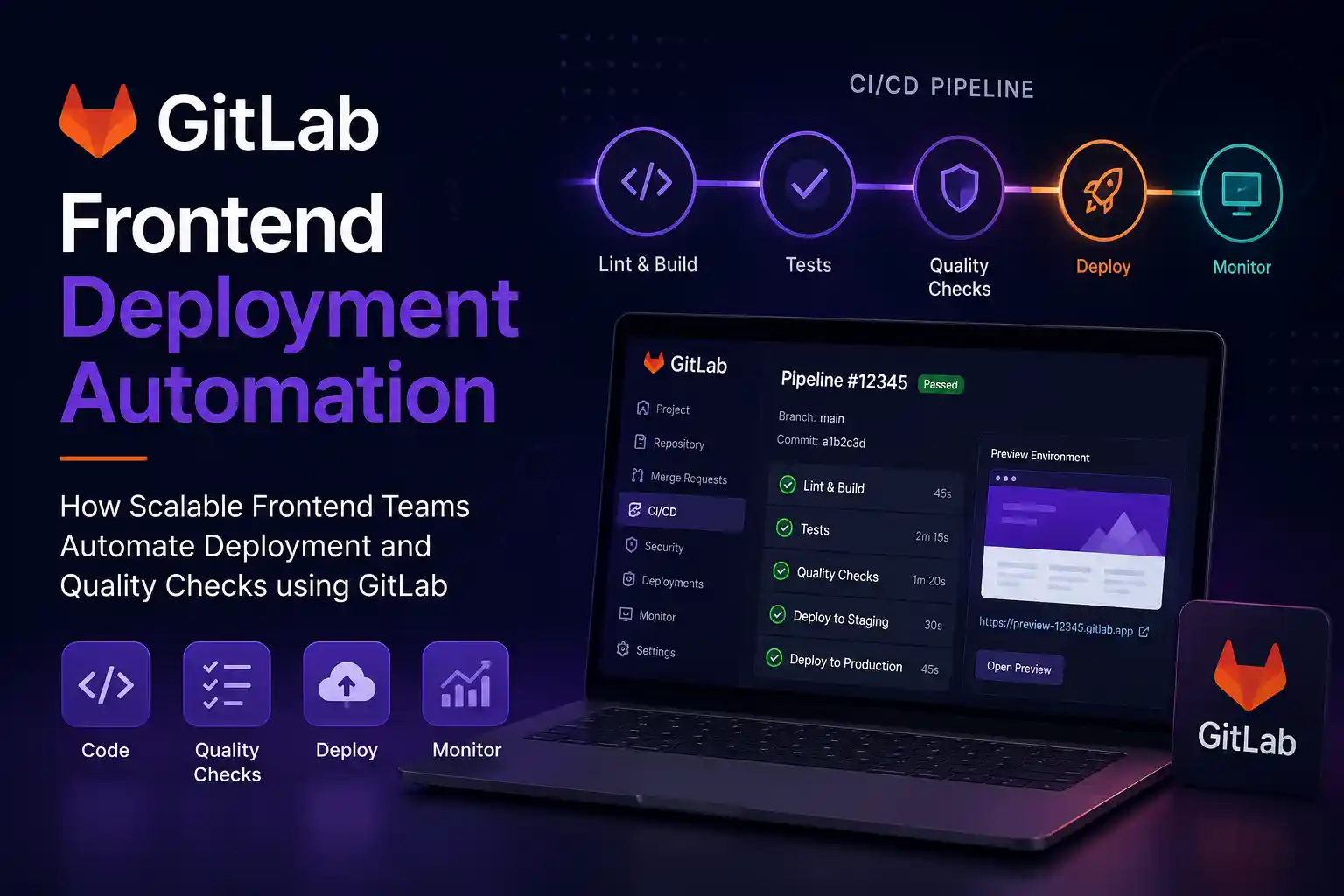
A typical scalable frontend pipeline may include:
- Install dependencies
- Run linting
- Execute unit tests
- Run TypeScript validation
- Perform accessibility checks
- Build production assets
- Deploy preview environments
- Run end-to-end tests
- Deploy to staging
- Deploy to production
The biggest advantage is consistency.
Every developer follows the same deployment process. Every branch goes through the same validation system. This removes the “works on my machine” problem that slows down many frontend teams.
Example: A Real Frontend Workflow
Imagine a team maintaining a large e-commerce frontend built with Next.js.
Before automation:
- Developers manually tested features locally
- Deployments happened once a week
- Production bugs were common
- Rollback procedures were slow
- QA teams spent hours validating releases
After implementing GitLab CI/CD for frontend teams:
- Every pull request generates a preview deployment
- Automated tests run before merge approval
- Accessibility regressions are detected automatically
- Deployments happen multiple times daily
- Rollback takes minutes instead of hours
This transition is common across modern frontend engineering organisations.
Automated Frontend Quality Checks That Actually Improve Releases
One of the most valuable parts of GitLab frontend deployment automation is automated quality enforcement.
Good frontend teams do not wait until production to validate quality.
Instead, quality checks happen automatically during CI/CD execution.
1. Linting and Code Formatting
Linting catches inconsistent patterns, syntax issues, and potential bugs before code reaches production.
Most frontend teams use:
- ESLint
- Stylelint
- Prettier
GitLab pipelines automatically fail if linting rules are violated.
This creates cleaner pull requests and reduces code review overhead.
2. Type Checking
TypeScript has become standard in scalable frontend applications because it catches runtime problems earlier.
Automated type checking inside GitLab pipelines ensures broken types never reach production builds.
This is especially useful in large teams where shared component libraries evolve frequently.
3. Unit and Integration Testing
Frontend testing is no longer optional for serious production systems.
Teams commonly integrate:
- Jest
- Vitest
- React Testing Library
- Cypress
- Playwright
CI pipelines automatically execute tests for every merge request.
If a checkout flow breaks or authentication fails, deployment stops immediately.
4. Accessibility Testing
Accessibility is becoming increasingly important globally, especially for enterprises, government platforms, and public-facing products.
Automated accessibility scanning helps detect:
- Missing ARIA labels
- Colour contrast issues
- Keyboard navigation failures
- Semantic HTML problems
Teams often integrate tools like:
- axe-core
- Lighthouse CI
- Pa11y
Automating accessibility checks early reduces expensive redesign work later.
5. Performance Validation
Frontend performance directly impacts user retention and SEO rankings.
Many scalable frontend teams configure GitLab pipelines to block deployments when performance budgets are exceeded.
Examples include:
- JavaScript bundle size limits
- Largest Contentful Paint thresholds
- Unused asset detection
- Image optimisation validation
This prevents performance degradation over time.
How Scalable Frontend Teams Structure GitLab Deployment Pipelines
Frontend deployment automation becomes much more effective when teams structure pipelines carefully.
Well-designed pipelines focus on speed, reliability, and developer productivity.
Use Parallel Jobs to Reduce Build Time
Large frontend applications can have slow CI pipelines.
Instead of running all tasks sequentially, scalable teams execute jobs in parallel.
For example:
- Linting runs separately
- Unit tests run separately
- Build generation runs separately
- Accessibility checks run separately
This significantly reduces feedback time for developers.
Fast feedback loops improve engineering velocity.
Implement Preview Deployments
Preview environments are one of the most practical features in modern frontend DevOps.
Whenever a merge request is opened, GitLab automatically creates a temporary deployment.
This allows:
- Design teams to review UI changes
- QA teams to validate features
- Stakeholders to test updates before production
- Developers to catch responsive design issues early
Preview deployments dramatically reduce release surprises.
Separate Staging and Production Environments
Scalable teams never deploy directly from development to production.
A proper workflow usually includes:
- Development
- Preview
- Staging
- Production
Staging environments simulate real production conditions.
This helps teams identify:
- Environment-specific bugs
- API integration issues
- Caching problems
- CDN misconfigurations
Enable Rollback Automation
Even the best deployment systems occasionally fail.
That is why mature frontend teams automate rollback strategies.
GitLab pipelines can quickly restore previous deployment versions if production monitoring detects issues.
Fast rollback capabilities reduce downtime and protect user trust.
Common Problems Frontend Teams Face Without Automation
Many engineering teams delay deployment automation because they think manual workflows are “good enough.”
Unfortunately, scaling exposes hidden operational problems.
Inconsistent Releases
Without automation, deployment quality depends heavily on individual developers.
Different engineers may follow slightly different deployment steps.
This inconsistency increases production risk.
Slow Developer Feedback
Manual testing delays development cycles.
Developers wait longer to identify broken features, increasing debugging complexity.
Higher Production Failure Rates
Small human mistakes create expensive incidents.
Examples include:
- Wrong environment variables
- Missing build assets
- Unoptimised bundles
- Skipped tests
- Incorrect cache invalidation
Automation eliminates many of these avoidable problems.
Burnout During Releases
Teams with manual deployment processes often experience stressful release cycles.
Late-night deployments, manual verification checklists, and emergency fixes eventually affect engineering morale.
Automation improves operational stability and reduces deployment anxiety.
Security and Compliance in Frontend CI/CD Pipelines
Frontend security has become a major concern in modern web engineering.
Applications now depend heavily on open-source packages, third-party scripts, analytics SDKs, and cloud integrations.
GitLab CI/CD pipelines help teams improve security posture through automated checks.
Dependency Scanning
Frontend projects often include hundreds or thousands of npm dependencies.
Some may contain known vulnerabilities.
Automated dependency scanning identifies risky packages before deployment.
Secret Detection
Accidentally committing API keys or environment secrets remains surprisingly common.
GitLab can automatically scan repositories for exposed secrets during CI execution.
This reduces the chance of serious security incidents.
Branch Protection Rules
Scalable frontend teams enforce protected branch workflows.
For example:
- Mandatory code reviews
- Required passing CI pipelines
- Approval-based production deployment
- Restricted production access
These practices improve operational governance without slowing down developers.
Best Practices for GitLab Frontend Deployment Automation
Deployment automation works best when combined with strong engineering habits.
Keep Pipelines Fast
Slow pipelines reduce developer productivity.
Use:
- Caching
- Parallel execution
- Incremental builds
- Selective test execution
Teams usually aim to keep core validation pipelines under 10 minutes.
Treat CI/CD as Part of the Product
High-performing teams maintain deployment pipelines with the same care as application code.
CI/CD infrastructure should be version-controlled, documented, monitored, and reviewed regularly.
Monitor Deployments Continuously
Automation does not eliminate the need for observability.
Track:
- Deployment frequency
- Build failures
- Rollback frequency
- Performance regressions
- Error rates
Monitoring helps teams improve deployment reliability over time.
Start Small and Expand Gradually
Not every team needs a highly advanced pipeline immediately.
A practical starting point may include:
- Automated builds
- Linting
- Unit testing
- Basic staging deployments
Teams can add:
- Preview environments
- Performance budgets
- Security scanning
- Accessibility testing
- Advanced rollback systems
as engineering maturity grows.
FAQ: GitLab CI/CD for Frontend Teams
Why do scalable frontend teams automate deployments?
Scalable frontend teams automate deployments to reduce human error, improve release speed, maintain deployment consistency, and allow developers to focus more on building features instead of repetitive operational tasks.
What are automated frontend quality checks?
Automated frontend quality checks include linting, testing, accessibility validation, type checking, performance analysis, and security scanning, which run automatically in CI/CD pipelines before deployment.
Can GitLab CI/CD support large frontend applications?
Yes. GitLab CI/CD is widely used for enterprise-scale frontend systems because it supports parallel pipelines, environment management, deployment automation, caching, monitoring, and secure release workflows.
How do preview deployments help frontend teams?
Preview deployments allow developers, designers, QA teams, and stakeholders to test frontend changes before production release. This reduces deployment risk and improves collaboration.
What is the biggest benefit of frontend deployment automation?
The biggest benefit is reliability. Automated deployment pipelines help teams release faster while maintaining consistent quality and reducing production incidents.
Frontend deployment complexity increases rapidly as products scale.
What works for a small team with occasional releases usually breaks down once applications grow, developer counts increase, and deployment frequency accelerates.
That is why GitLab frontend deployment automation has become a critical part of modern frontend engineering.
By combining automated frontend quality checks, scalable CI/CD workflows, preview deployments, security scanning, and reliable rollback systems, teams can release faster without sacrificing stability.
The goal is not simply automation for its own sake.
The real objective is creating a predictable engineering system where developers can ship confidently, collaborate efficiently, and maintain high frontend quality as products evolve.
Check out here for a step-by-step guide.
If you are building scalable frontend platforms, the next logical step is reviewing your current deployment process, identifying repetitive manual tasks, and gradually introducing automation where it creates the most operational value.